The clinic on mobile — with alerts that arrive on time
Install Domeralia on staff phones and your clinic app on the patient’s. Smoother mobile navigation and push notifications — no app store required.
Included in every plan — clinic branding on Practice and Clinic. * Progressive Web App (PWA): installs from the browser.
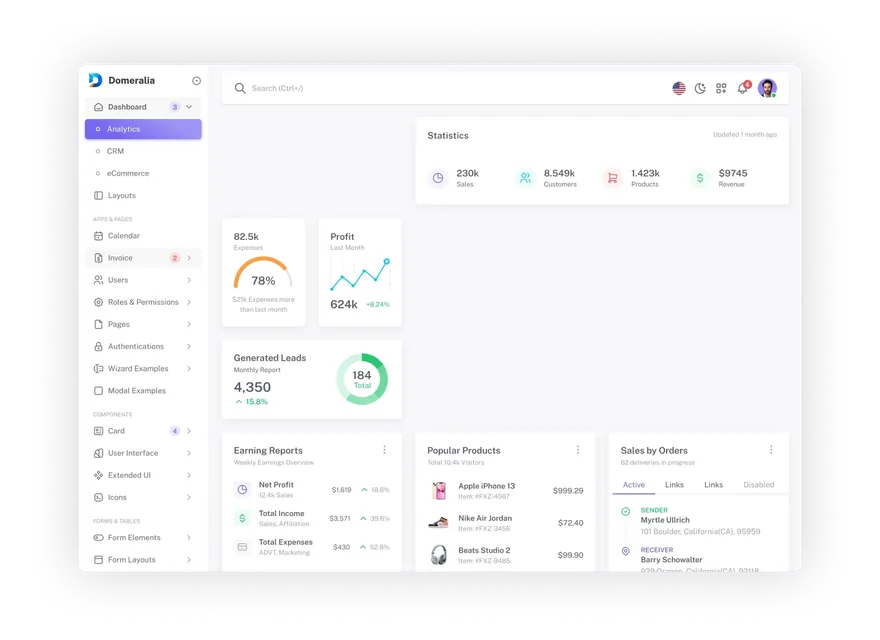
If the diary only lives on a desktop, the phone falls behind
New online bookings, last-minute cancellations and reminders get missed when staff are away from a computer and patients don’t open WhatsApp in time.
With the staff app, Domeralia sits on the home screen and sends push alerts for portal bookings, changes and cancellations. Patients install the clinic app and get push reminders (alongside WhatsApp and email).
Same secure login, no app store: one tap to today’s schedule or the patient portal. On Practice and Clinic, the patient app can use your clinic branding.
How it fits the clinic day
- 1 Staff install Domeralia and enable alerts on the device (on iPhone, add to Home Screen first).
- 2 Patients install the clinic app from the portal and opt into reminders (with GDPR/LGPD consent when required).
- 3 Portal bookings and cancellations notify staff; reminders reach patients by push, WhatsApp or email.
FAQ

Ready to put the clinic one tap away on mobile?
Try Domeralia free for 14 days — no credit card required.